Ghosthey: The Ultimate Blackletter Font for Modern Design
When you are looking to add a touch of history, elegance, or dramatic flair to your projects, few tools are as effective as a well-crafted blackletter typeface. Among the many options available today, Ghosthey stands out as a highly detailed and beautiful blackletter font that bridges the gap between traditional calligraphy and modern digital design. Whether you are a seasoned graphic designer, a small business owner creating branding materials, or a hobbyist working on a personal project, understanding how to leverage this specific typeface can significantly elevate the visual impact of your work.
Unlike standard fonts that prioritize speed and simplicity, Ghosthey is designed with an intricate attention to detail. It captures the essence of medieval manuscripts and gothic scripts but refines them for contemporary screens and print media. This makes it versatile enough for high-end editorial layouts while remaining accessible for everyday users who want their designs to look professional without needing years of typographic training.
What Makes Ghosthey Unique?
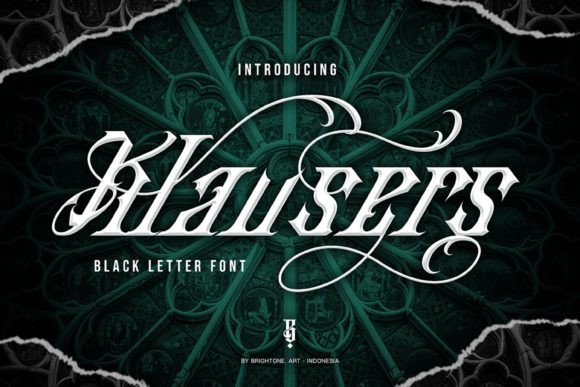
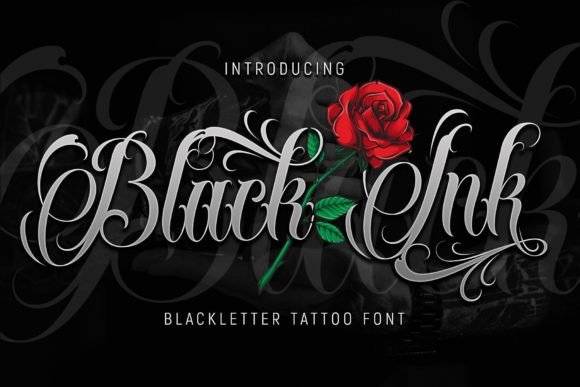
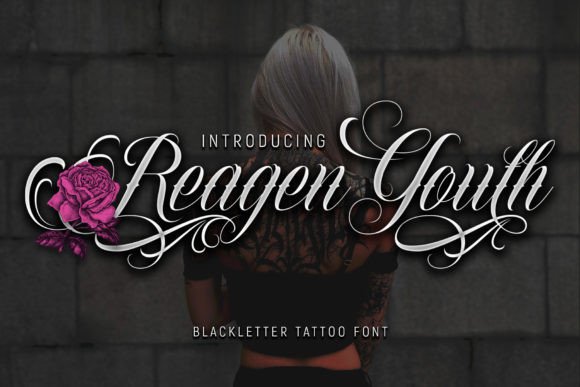
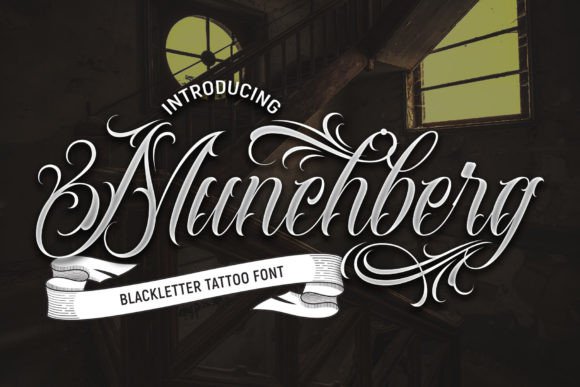
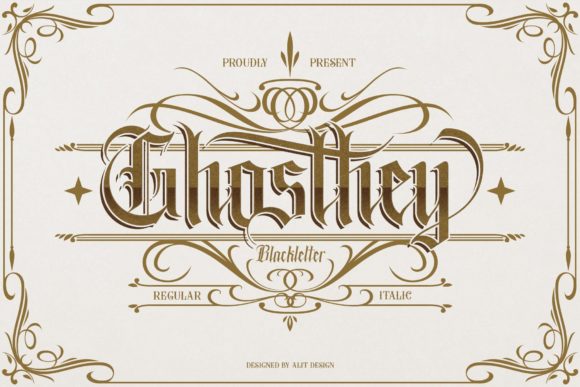
The primary appeal of Ghosthey lies in its balance between complexity and usability. Many blackletter fonts suffer from being too dense or difficult to read at smaller sizes. Ghosthey avoids this pitfall by maintaining clear letterforms while retaining the ornate characteristics that define the style. The strokes are crisp, the terminals are refined, and the overall weight provides a strong presence on the page or screen.
One of the most significant technical advantages of this font is its encoding. Ghosthey is PUA encoded. To understand why this matters, it helps to look at how fonts typically handle special characters. Standard fonts often limit access to basic letters and numbers, leaving special symbols, ligatures, and decorative swashes locked away or requiring complex manual substitution. PUA (Private Use Area) encoding allows designers to access all these extra glyphs directly through the keyboard or character map interface.
- Easy Access: You do not need to hunt for hidden files or use third-party software to find the fancy bits.
- Complete Glyph Set: Every swash, ornament, and alternative character is readily available.
- Seamless Integration: These elements integrate smoothly into word processing, design software, and web editors.
This ease of access means that even beginners can create sophisticated designs. Instead of spending hours searching for the right decorative element, you can simply select the appropriate glyph from the font’s menu. This efficiency is invaluable for professionals working under tight deadlines.
Practical Applications for Creators and Businesses
So, where does Ghosthey fit into your workflow? Its aesthetic versatility allows it to be used across a wide range of contexts. Because it commands attention, it is best suited for headlines, titles, logos, and accent text rather than long paragraphs of body copy. Here are some realistic scenarios where this font shines.
Branding and Logo Design
For entrepreneurs and freelancers, establishing a strong brand identity is crucial. Ghosthey is particularly effective for brands that want to convey heritage, luxury, craftsmanship, or mystery. Imagine a craft brewery, a boutique barbershop, a tattoo studio, or a high-end wedding invitation service. In these industries, the visual language needs to communicate quality and tradition. Using Ghosthey in a logo or business card immediately signals that the brand values artistry and detail.
Because the font includes extensive swashes, you can customize logos to have unique flourishes that make them memorable. A simple initial can be transformed into a monogram masterpiece by swapping out the standard letter for one of the decorative alternatives provided in the PUA set.
Event Marketing and Invitations
If you are organizing events, whether they are corporate galas, themed parties, or educational seminars, typography sets the tone. Ghosthey works beautifully for posters, flyers, and digital invitations. Its dramatic nature grabs the eye in crowded feeds or printed stacks. For educators or bloggers hosting workshops, using Ghosthey for headers can make promotional materials look polished and inviting.
Content Creation and Social Media
In the world of digital marketing, standing out is half the battle. Bloggers and social media managers can use Ghosthey to create eye-catching quote graphics, thumbnail overlays, or announcement banners. The contrast between the heavy blackletter style and modern, minimalist backgrounds creates a striking visual tension that performs well on platforms like Instagram, Pinterest, and LinkedIn. Just remember to pair it with clean sans-serif fonts for any supporting text to ensure readability.
How to Get Started with Ghosthey
Integrating Ghosthey into your projects is straightforward, but there are a few best practices to keep in mind to ensure your designs remain effective.
- Installation: Once downloaded, install the font file on your operating system. On Windows, double-click the file and select "Install." On macOS, open the Font Book application and click "Add."
- Accessing Swashes: Open your preferred design software (such as Adobe Illustrator, Photoshop, Canva, or Microsoft Word). Select the text tool and choose Ghosthey from the font dropdown. To access the special glyphs, open the Character Panel or Glyphs Window. Look for the PUA-encoded characters; these will appear alongside the standard alphabet.
- Pairing Fonts: As mentioned, Ghosthey is a display font. Pair it with a neutral, easy-to-read typeface for body text. A clean geometric sans-serif or a classic serif works well to balance the ornate nature of Ghosthey.
- Color Considerations: Blackletter fonts can feel heavy. Experiment with colors beyond black. Gold, deep red, or navy blue can enhance the luxurious feel of the font, especially for print materials.
Important Considerations Before You Use It
While Ghosthey is a powerful tool, it is not a one-size-fits-all solution. Understanding its limitations will help you avoid common design mistakes.
Readability is Key: Avoid using Ghosthey for long blocks of text. It is designed for impact, not endurance. Keeping text short ensures that your audience appreciates the beauty of the font without struggling to decipher the words.
Context Matters: Not every brand voice aligns with a gothic aesthetic. If you are designing for a tech startup focused on minimalism and futurism, Ghosthey might clash with your message. Reserve it for projects where the theme supports a historical, artistic, or bold personality.
Licensing and Usage: Always check the license agreement that comes with Ghosthey. Some fonts allow for personal use only, while others permit commercial applications. Ensuring you have the correct rights prevents legal issues down the line, especially if you are selling products or services created with the font.
Why Choose Ghosthey for Your Next Project?
In a digital landscape saturated with generic templates and stock imagery, distinctive typography offers a way to break through the noise. Ghosthey provides that distinction with grace and precision. Its PUA encoding removes the technical barriers often associated with specialty fonts, making it accessible to everyone from casual users to expert designers.
Whether you are crafting a custom logo, designing a wedding suite, or updating your blog’s header, Ghosthey adds a layer of sophistication that elevates the entire composition. It respects the traditions of blackletter calligraphy while embracing the convenience of modern technology. By choosing Ghosthey, you are choosing a font that speaks volumes about quality, attention to detail, and creative ambition.
Take the time to explore the full range of glyphs and swashes. Play with scale, color, and pairing. The more you experiment, the more you will discover how this versatile typeface can adapt to your unique creative vision. With Ghosthey, the only limit is your imagination.